pcaProjection

pcaProjection shows projections of 3D points in PCA

Syntax

Description

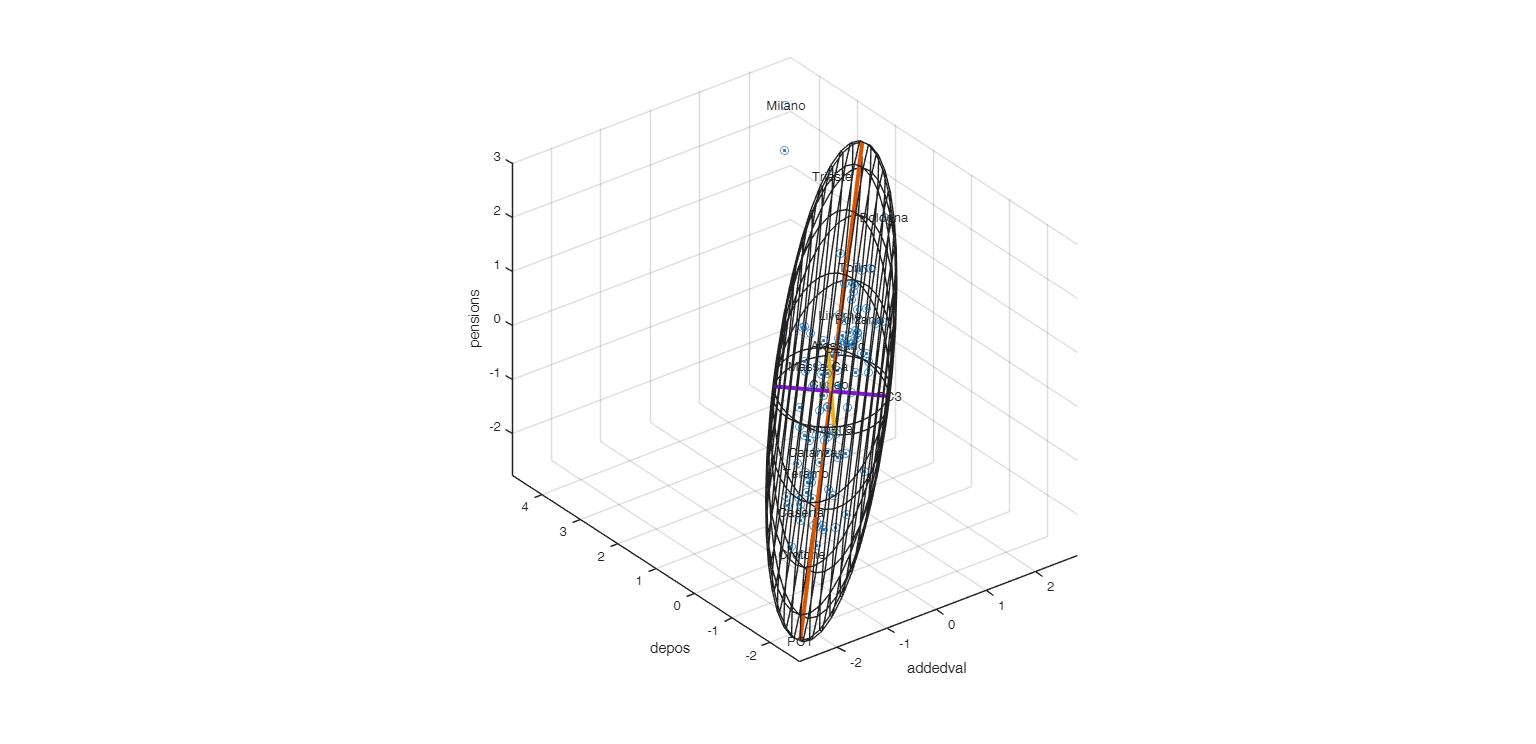
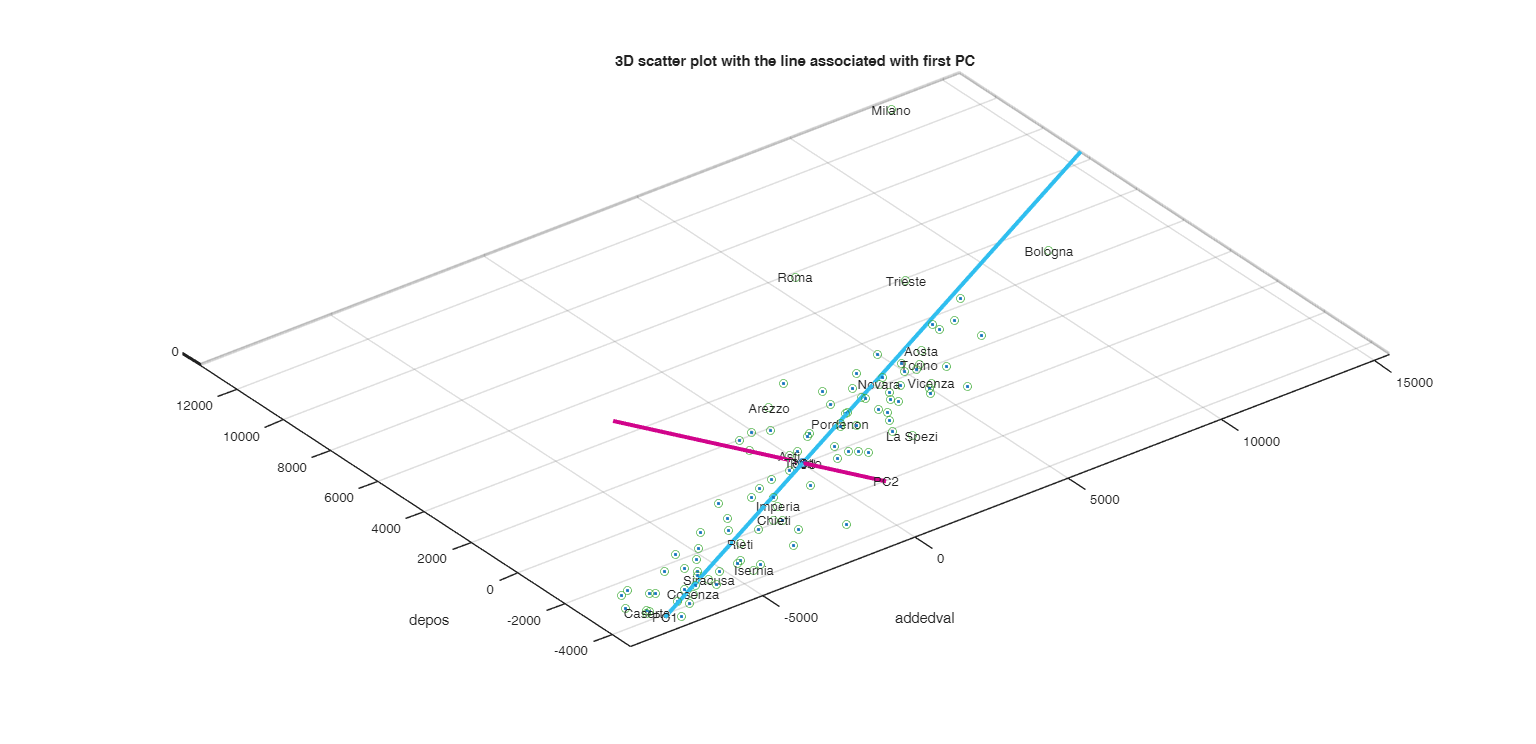
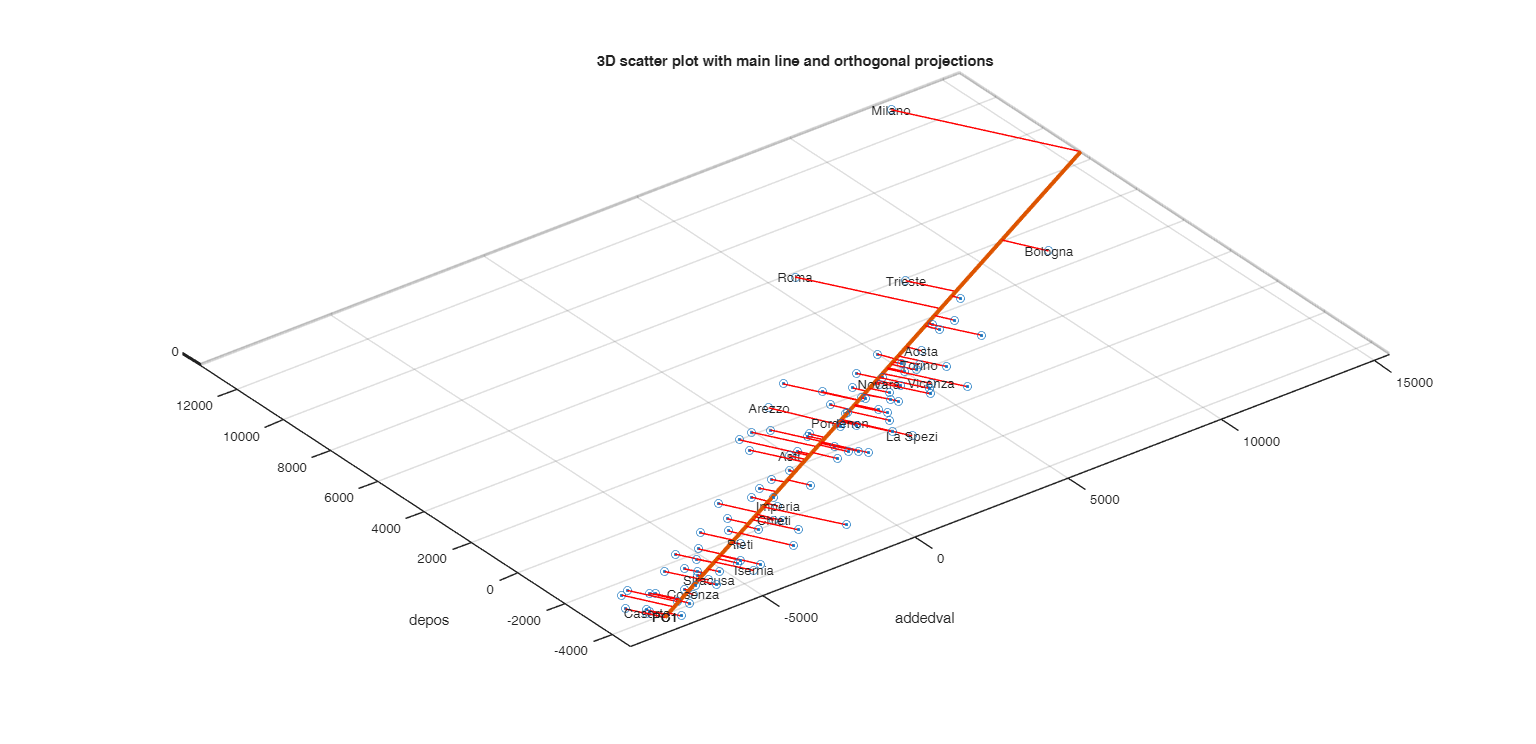
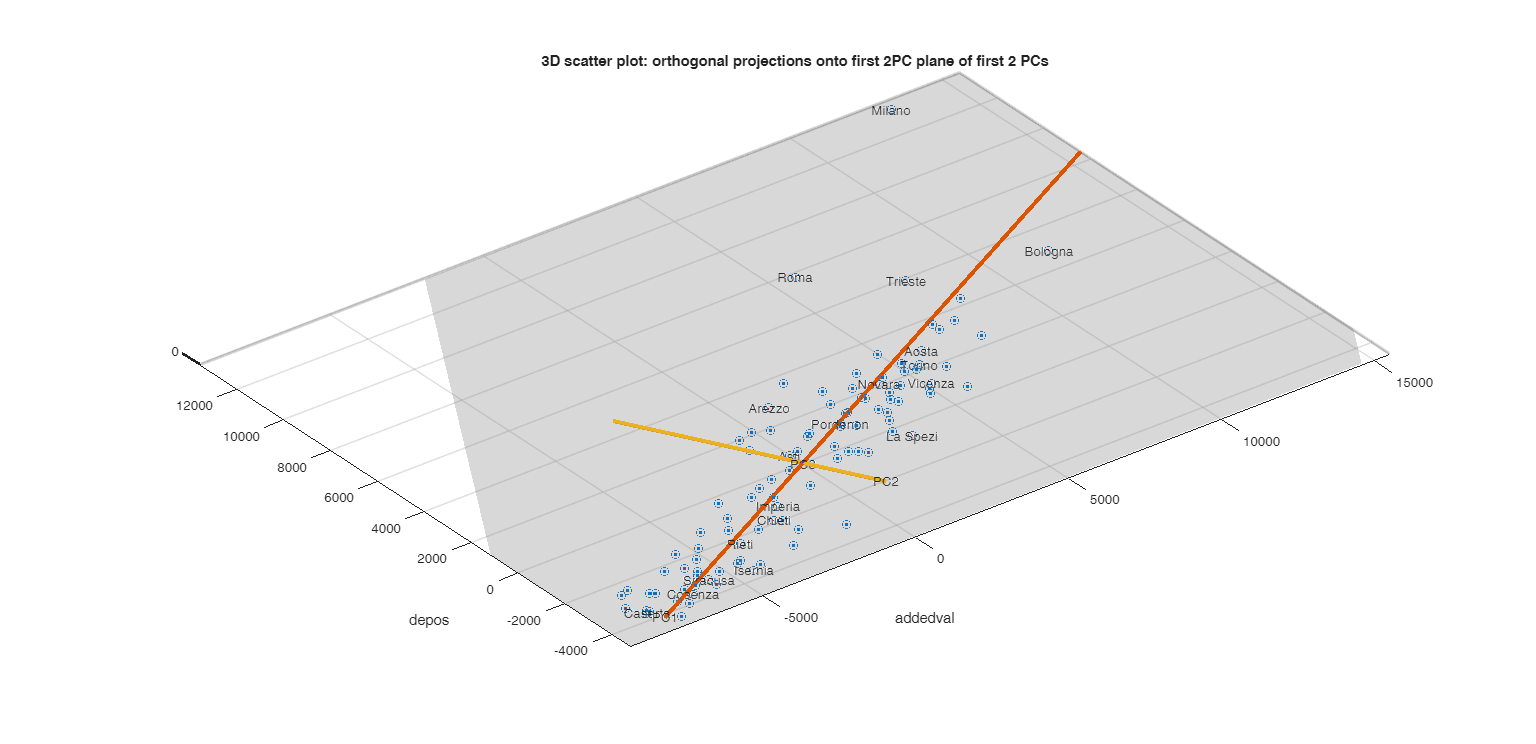
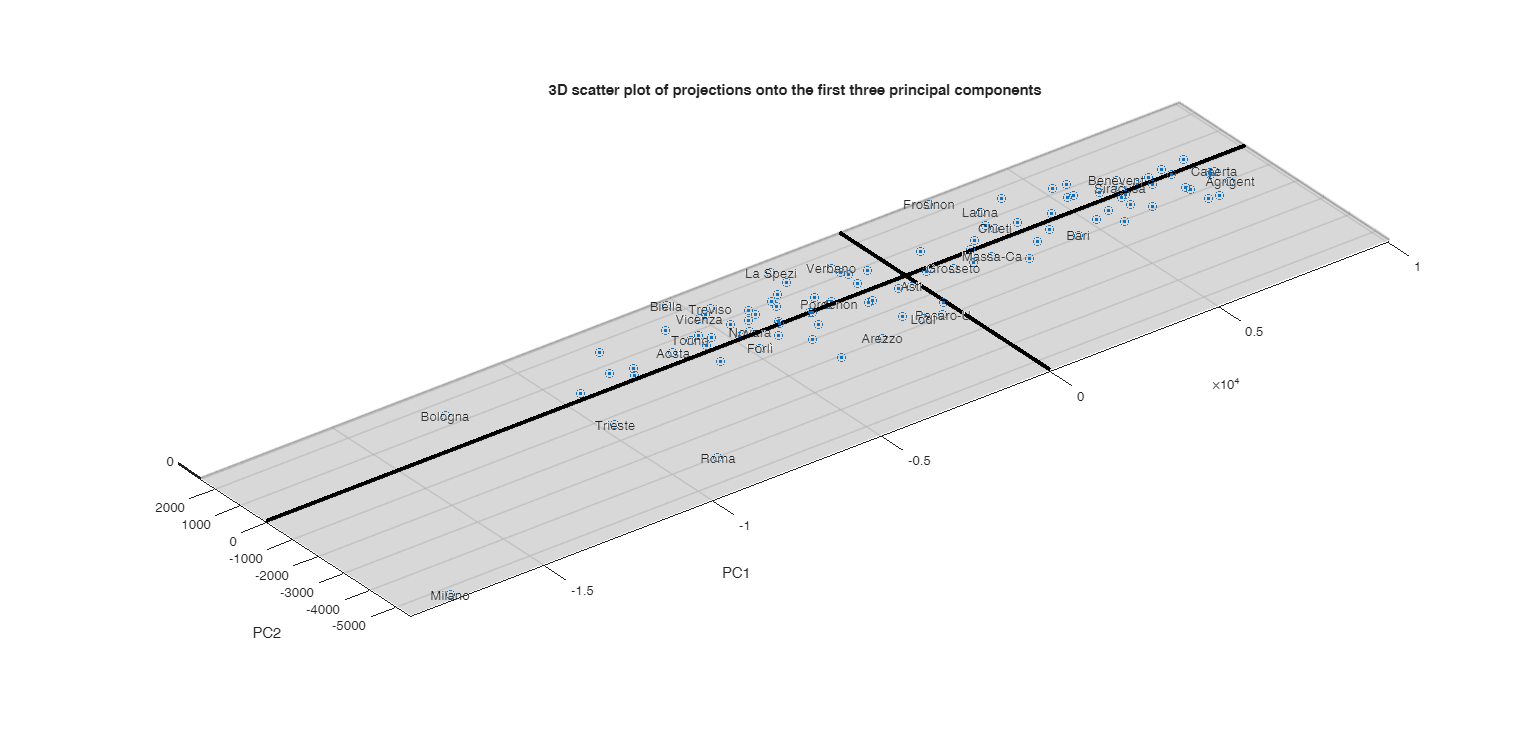
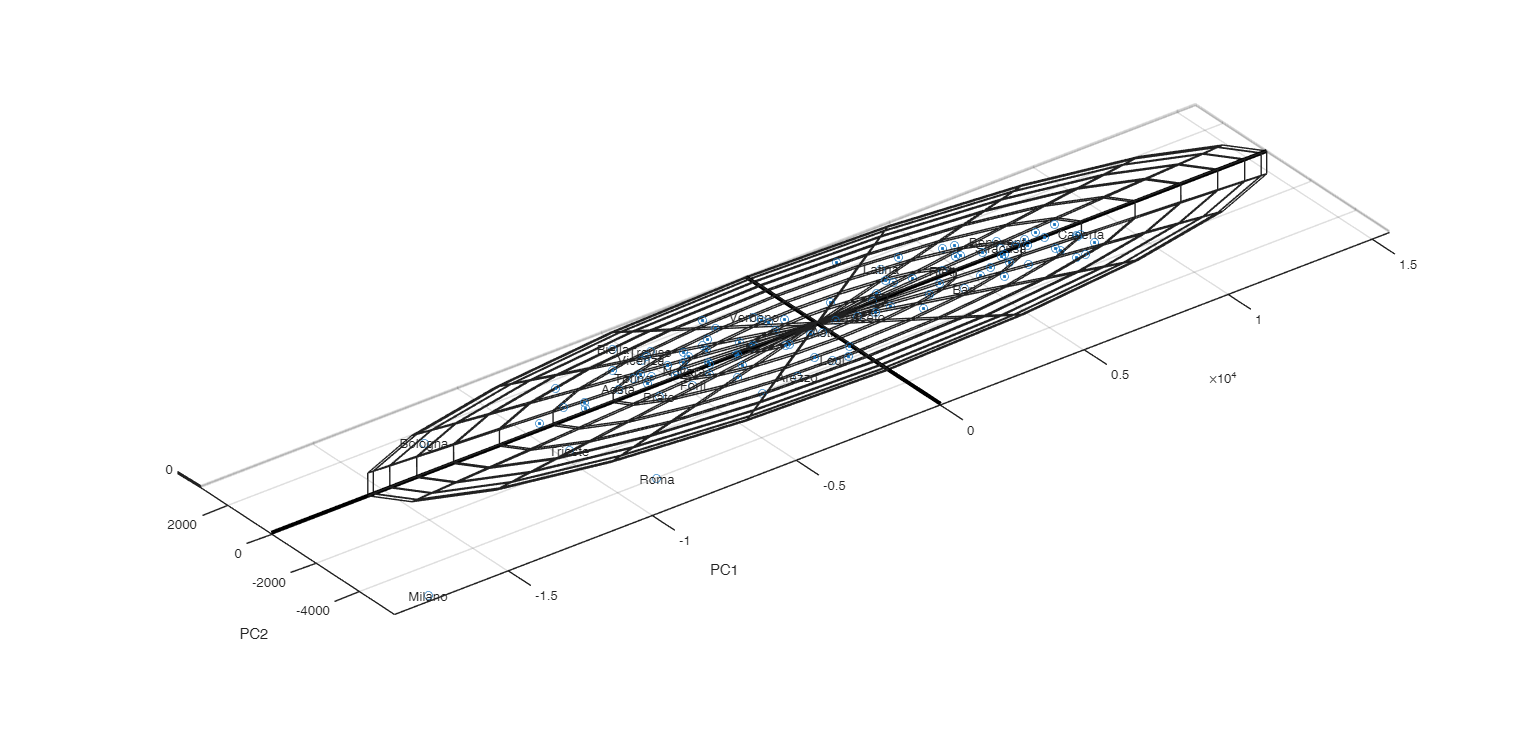
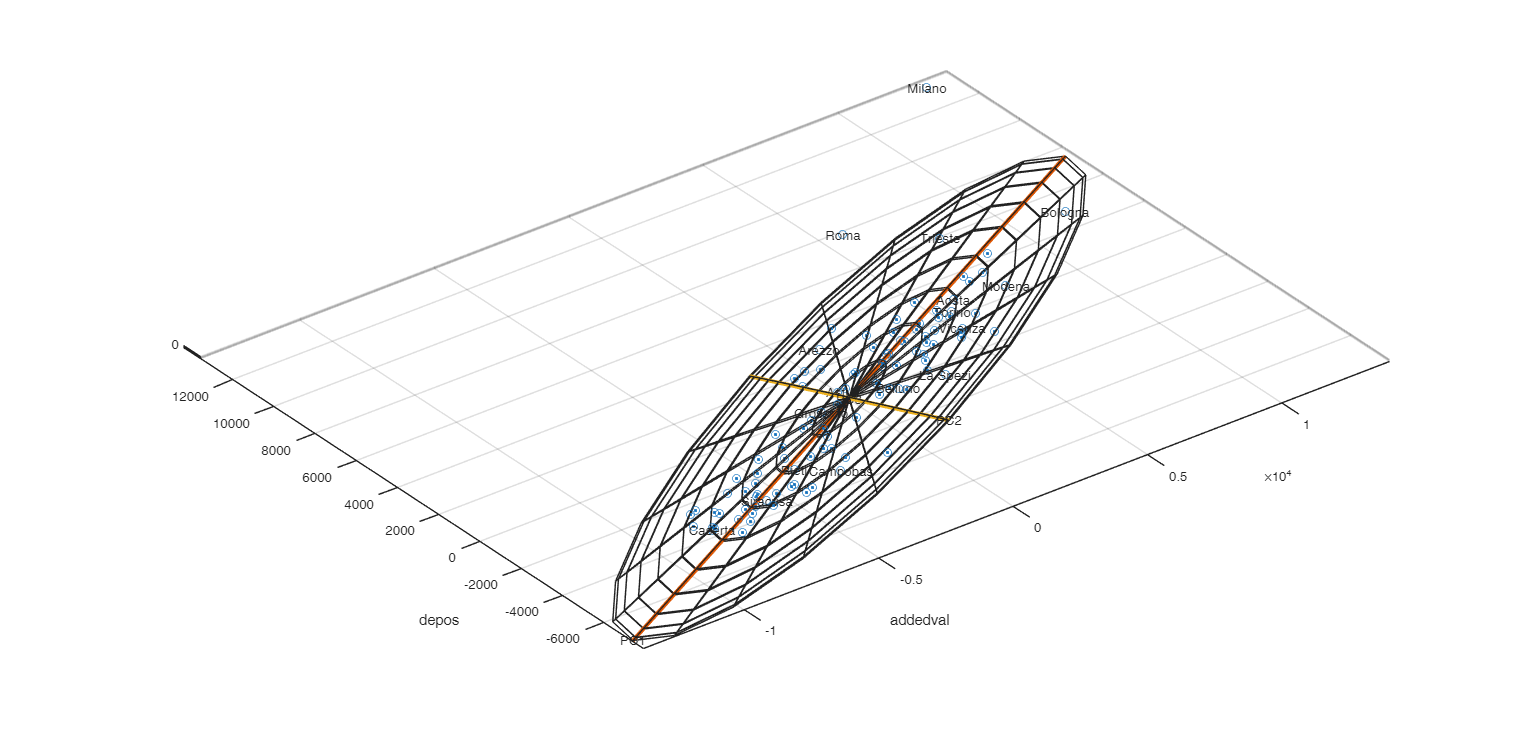
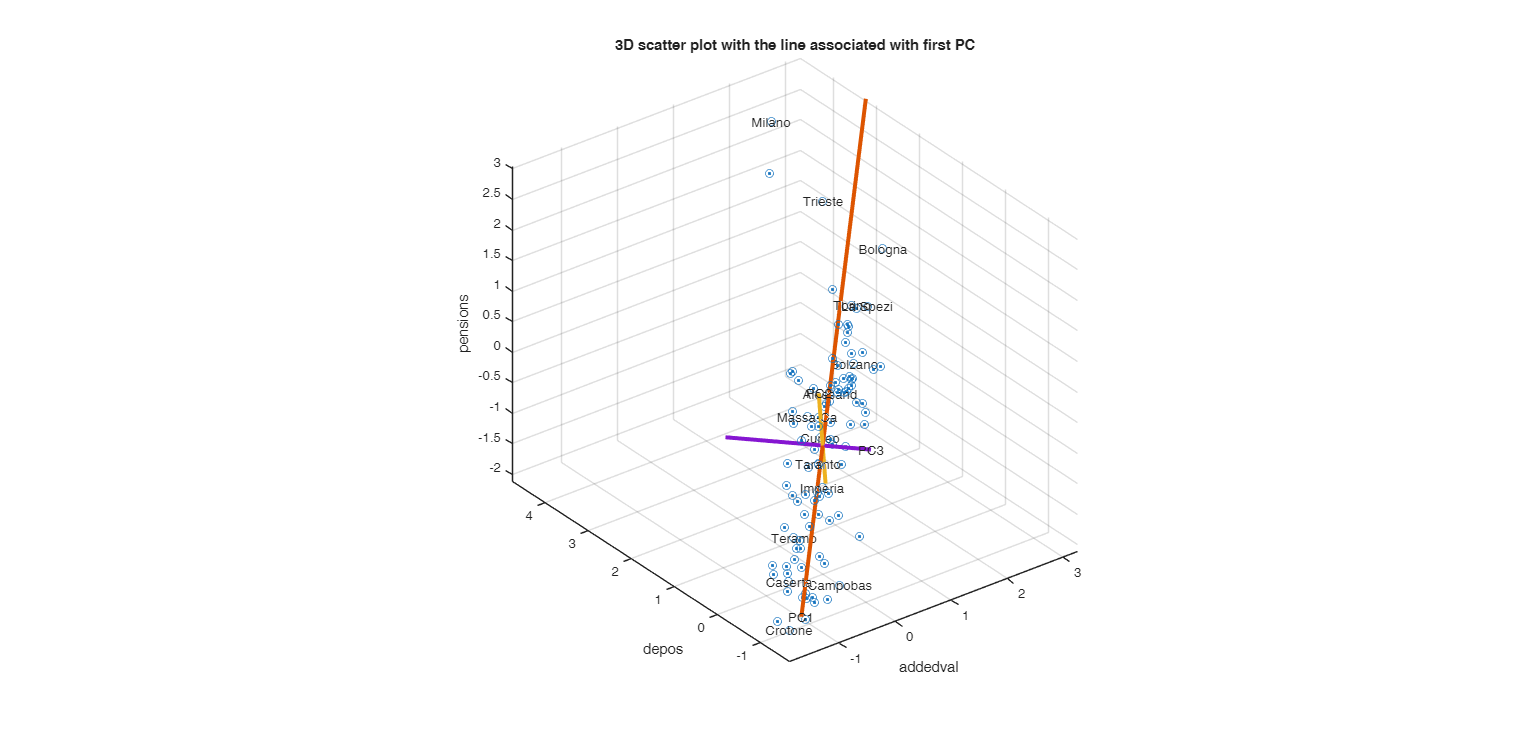
pcaProjection is intended for didactic purposes. It illustrates the details of the orthogonal projection of trivariate points onto the space of the first 3 principal components and displays the principal ellipsoid in both the original and projected spaces.

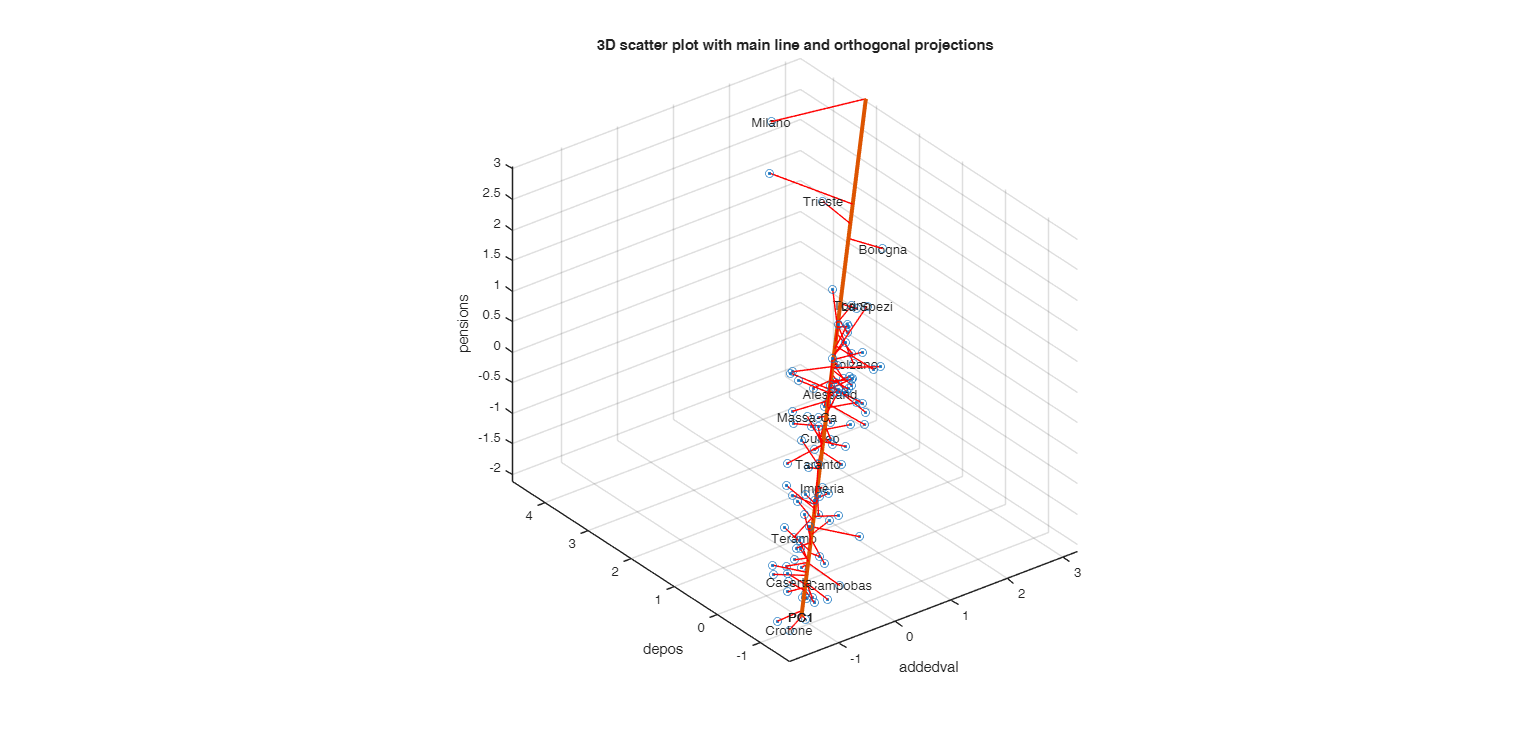
More precisely 6 distinct plots are created: [1] A 3D scatterplot with the line associated with the 1st PC.

[2] A 3D scatterplot with the principal line and orthogonal projections.

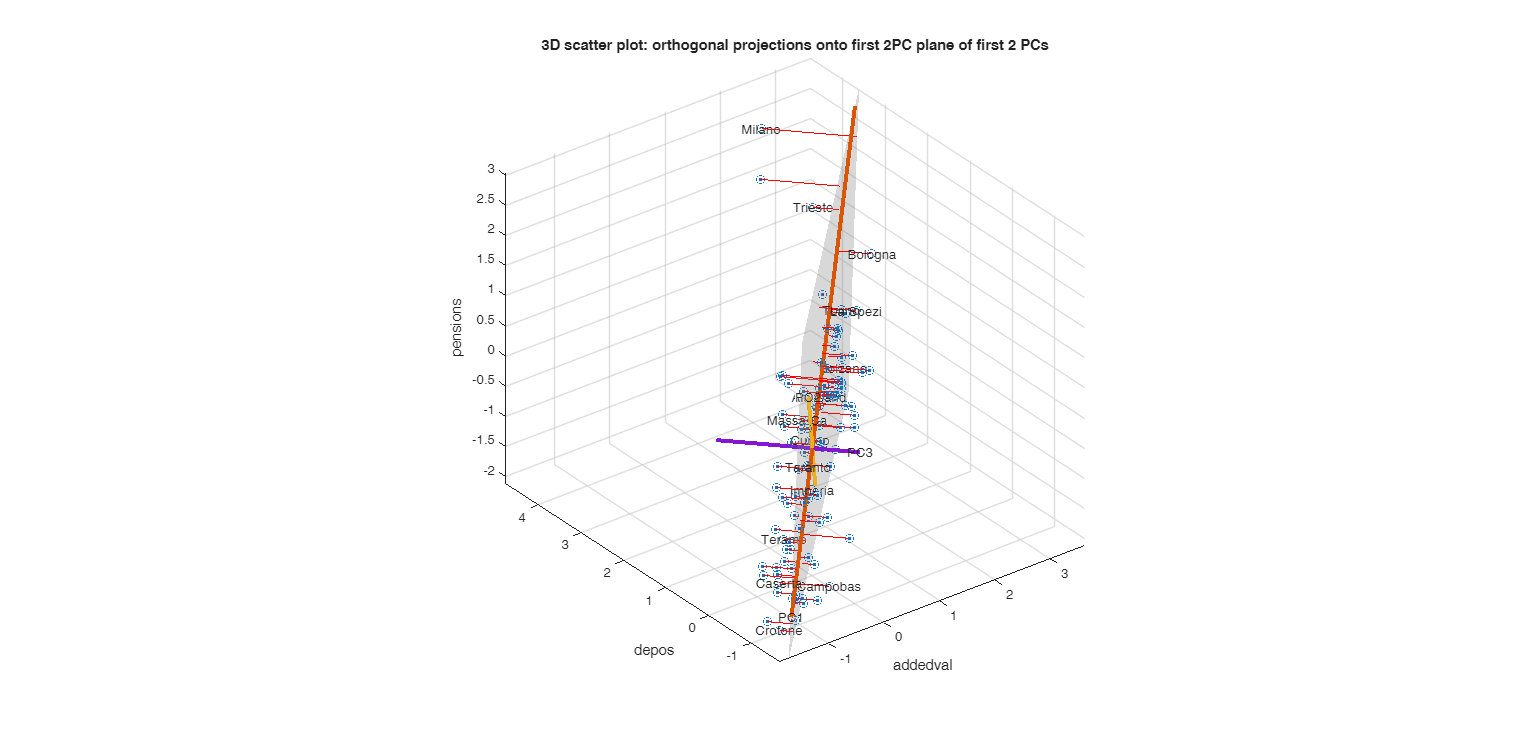
[3] A 3D scatterplot with orthogonal projections onto the plane of the first 2 PCs.

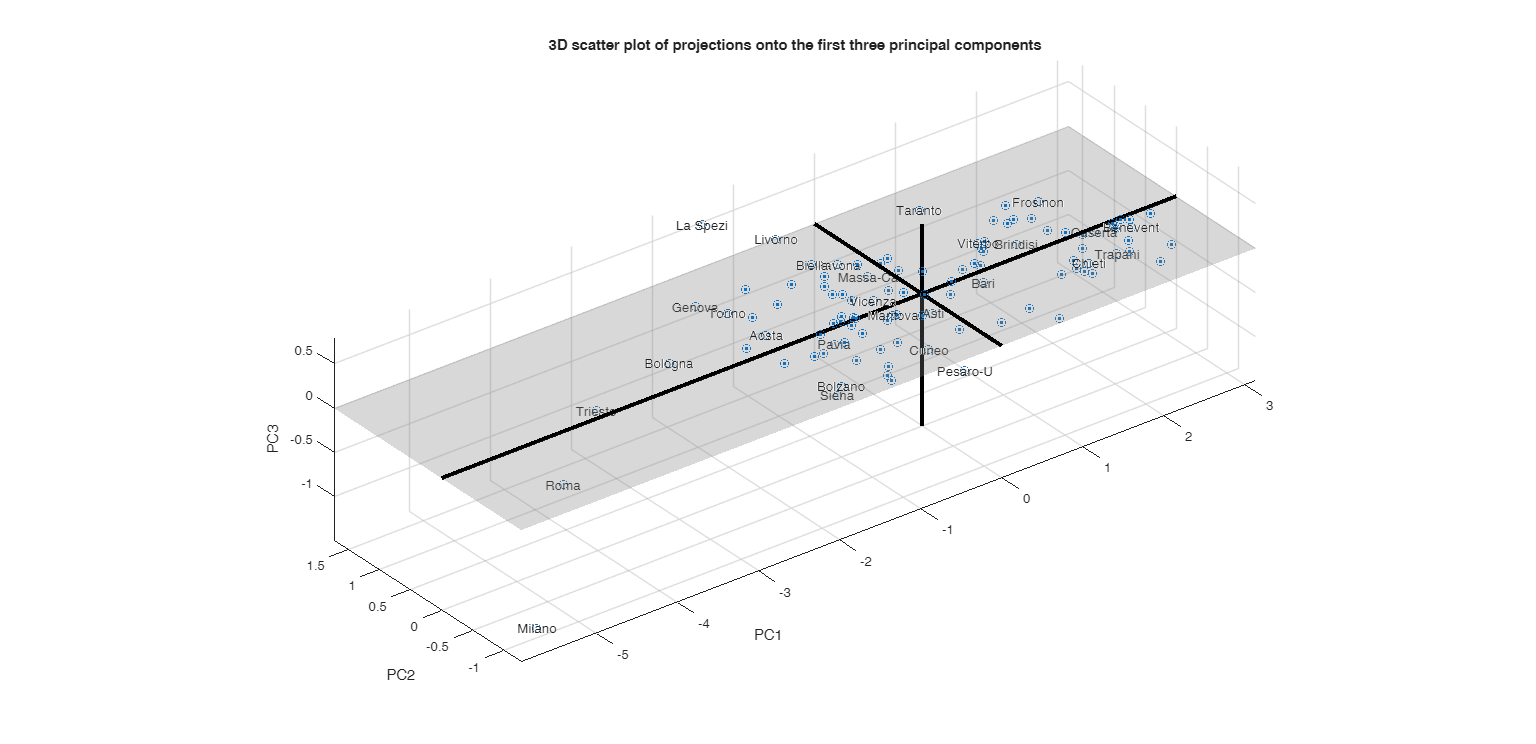
[4] A 3D scatterplot projections onto the first three PCs.

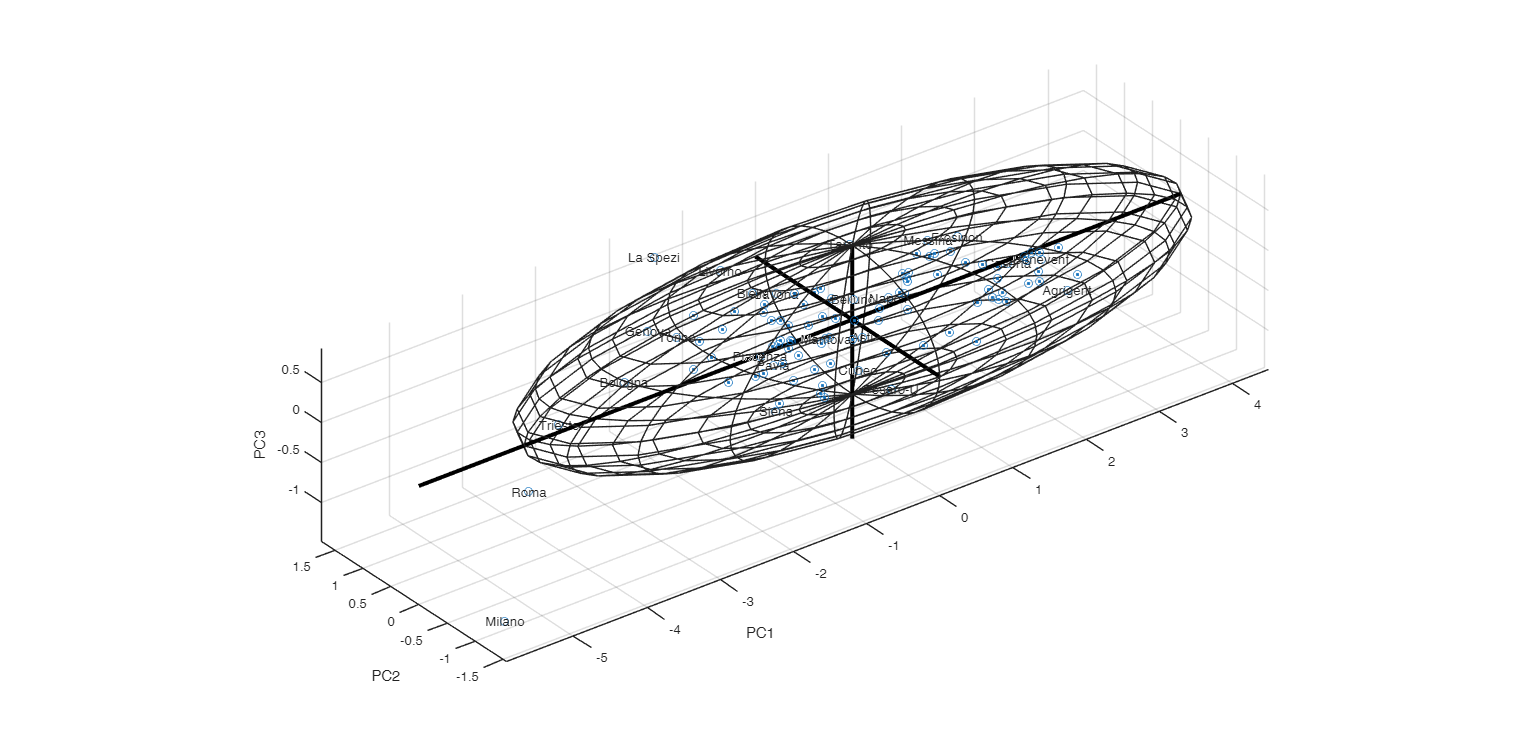
[5] A 3D scatterplot with the principal ellipsoid in the projected coordinates space.

[6] A 3D scatterplot with the principal ellipsoid in the original coordinates space.

example

pcaProjection(Y) Call to pcaProjection with all default options.

example

pcaProjection(Y, Name, Value) Call to pcaProjection with option DataVars.

Examples

expand all

  • Call to pcaProjection with all default options.
  • load citiesItaly.mat
    pcaProjection(citiesItaly)
    Click here for the graphical output of this example (link to Ro.S.A. website).

  • Call to pcaProjection with option DataVars.
  • load citiesItaly.mat
    % Select variables in position 2 6 and 7.
    pcaProjection(citiesItaly,'DataVars',[2 6 7])

    Related Examples

    expand all

  • Call to pcaProjection with option TextDensityPercentage.
  • If TextDensityPercentage=0 then the labels are not shown

    load citiesItaly.mat
    pcaProjection(citiesItaly,'DataVars',[2 6 7],'TextDensityPercentage',0)

  • Call to pcaProjection with option conflev.
  • conflev controls the confidence level for the ellipsoid

    load citiesItaly.mat
    pcaProjection(citiesItaly,'DataVars',[1 2 7],'conflev',0.5)

  • Call to pcaProjection with option AddAxes.
  • conflev controls the confidence level for the ellipsoid

    close all
    load citiesItaly.mat
    % Remove all axes from plots
    AddAxes=[false false false];
    pcaProjection(citiesItaly(:,[ 3 5 6]),'AddAxes',AddAxes)

  • Call to pcaProjection with option addPCaxes and LineWidthAxes.
  • close all
    load citiesItaly.mat
    % Just show first principal axis
    AddAxes=[true false false];
    % Line width of the axes
    l=4;
    pcaProjection(citiesItaly(:,[ 3 5 6]),'AddAxes',AddAxes,'LineWidthAxes',l)

  • Call to pcaProjection with option standardize.
  • load citiesItaly.mat
    % This is the effect of non standardizing the data when
    % standardization is needed!
    pcaProjection(citiesItaly(:,[ 1 2 5]),'standardize',false)
    Click here for the graphical output of this example (link to Ro.S.A. website)

    Input Arguments

    expand all

    Y — Input data. 2D array or table.

    n x p data matrix; n observations and p variables. Rows of Y represent observations, and columns represent variables.

    Data Types: single|double

    Name-Value Pair Arguments

    Specify optional comma-separated pairs of Name,Value arguments. Name is the argument name and Value is the corresponding value. Name must appear inside single quotes (' '). You can specify several name and value pair arguments in any order as Name1,Value1,...,NameN,ValueN.

    Example: 'DataVars',[2 4 5] , 'conflev',0.99 , 'AddAxes',[false false true] , 'AddConstantPlane',false , 'LineWidthAxes',1 , 'standardize',false , 'TextDensityPercentage',80

    DataVars —Table variables for which to compute PCA and projection of points.numeric vector | string array of cell array of character vectors of length 3.

    For examples if 'DataVars' is [3 5 6], PCA is done for variables 3, 5 and 6. If 'DataVars' is ["Name1" "Name4" "Name8"] variable with these names inside the input table are used. Note that if DataVars is not specified the first 3 variables are used.

    Example: 'DataVars',[2 4 5]

    Data Types: character vector | string array | cell array of character vectors | vector of positive integers | logical vector

    conflev —confidence level of the ellipsoid.scalar.

    A number in the interval (0 1) which specifies the confidence level of the ellipsoid which encloses the points. The confidence level is computed under normality assumption and it is based on the chi2 with 3 degrees of freedom.

    Example: 'conflev',0.99

    Data Types: single, double

    AddAxes —show the axes.boolean vector of length 3.

    Boolean vector which specifies whether to show or hide the PC axis in the original or transformed space. For example if AddAxes [true false false] just the first principal axis is shown. The default of addAxes is true(3,1) that is all the 3 axes are shown.

    Example: 'AddAxes',[false false true]

    Data Types: logical

    AddConstantPlane —show the constant plane spanned by the first two PCs.boolean scalar.

    If this option is true (default) the constant plane spanned by the first two PCs is shown on the screen in the plot of projected points in the space of the first two PCs.

    Example: 'AddConstantPlane',false

    Data Types: logical

    LineWidthAxes —line width of the principal axes.scalar.

    Width of the lines associated with the PC axis (when they are visible). The default value of LineWidthAxes is 3.

    Example: 'LineWidthAxes',1

    Data Types: single, double

    standardize —standardize data.boolean.

    Boolean which specifies whether to standardize the variables, that is we operate on the correlation matrix (default) or simply remove column means (in this last case we operate on the covariance matrix).

    Example: 'standardize',false

    Data Types: boolean

    TextDensityPercentage —Percentage of text data to show.scalar from 0 through 100.

    Percentage of text data to show, specified as a scalar from 0 through 100.

    To show all text, set TextDensityPercentage to 100. To show no text, set TextDensityPercentage to 0. The default value of TextDensityPercentage is 60. Note that Text Analytic toolbox is required

    Example: 'TextDensityPercentage',80

    Data Types: single or double
    Output Arguments

    References

    See Also

    |

    This page has been automatically generated by our routine publishFS